

Upgrading your pass
On a paid pass
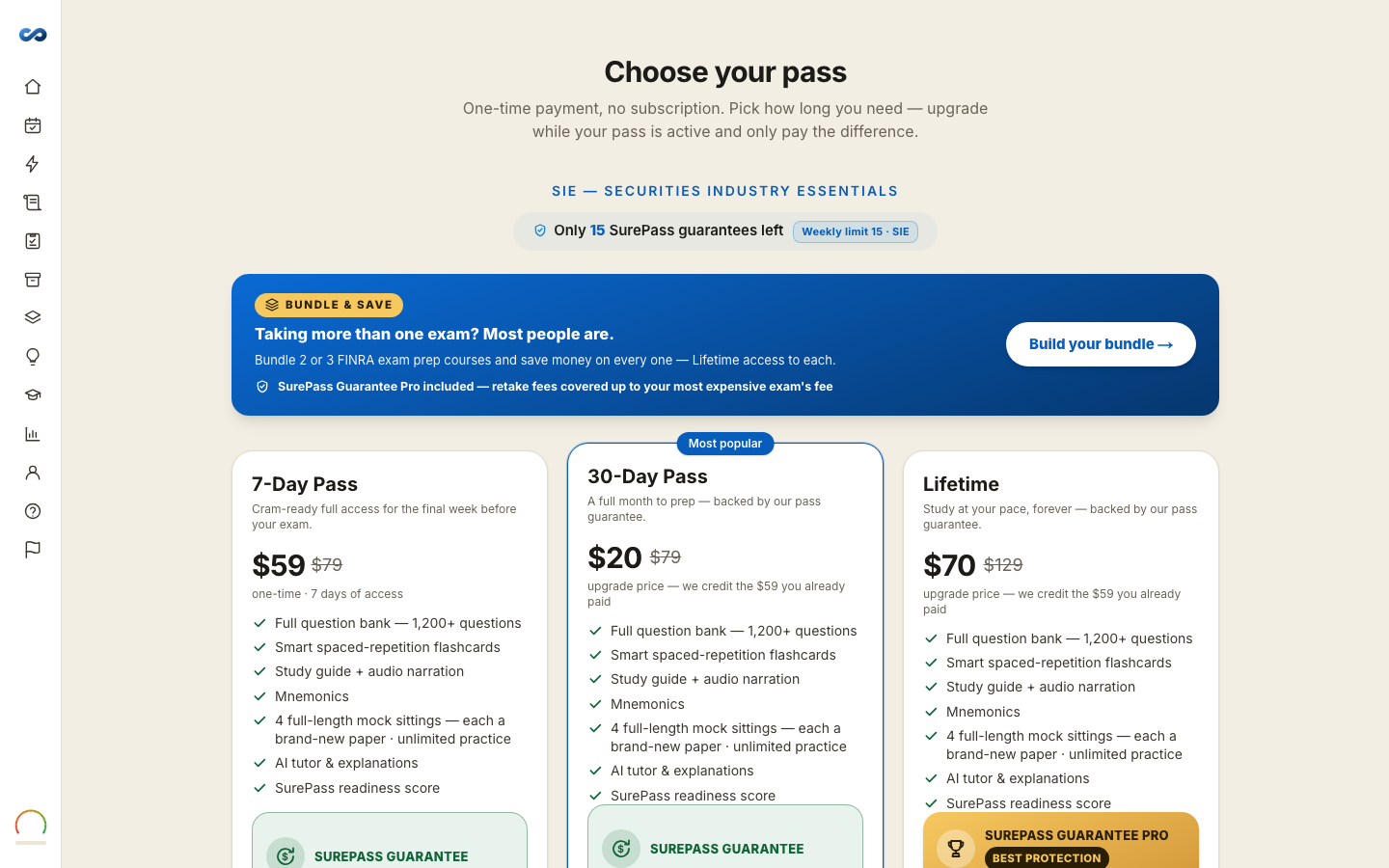
You can move up a tier whenever you like — Starter to Standard, Starter to SurePass, Standard to SurePass — and you pay only the difference. When the difference is nothing — SurePass on sale at Standard's price — the upgrade is free.
How the difference is worked out
An upgrade is always priced off the sale price of the higher pass, minus what you already paid. You are never charged twice for the part you already have.
Open Choose your pass on the exam you hold. Passes above yours show the upgrade price rather than the full price, with a line saying how much of what you already paid is being credited.
What changes, and what doesn't
- Your access extends. Nothing about your studying resets — same progress, same highlights, same flashcard schedule, same readiness meter.
- Upgrading to SurePass adds retake reimbursement and a full year of access (365 days from the upgrade). The refund comes with Standard and SurePass; reimbursing your official retake fee comes only with SurePass — how it is paid is in the Refund & Guarantee Policy.
- Time already used is not refunded, because you are not being re-charged for it in the first place.
Downgrading
There is no downgrade. Passes are one-time payments rather than a plan you sit on, so there is nothing to step down. If you bought the wrong one and you are still inside the money-back window, ask us — the window per pass is in the Refund & SurePass Guarantee Policy.
More in Plans, pricing and the guarantee
Didn’t answer it?
hello@capitalprep.com · we aim to reply within a few hours.